Easy Accessibility Made Simple: Native WCAG Checking in Magnolia.
Easy Accessibility helps Magnolia CMS users find WCAG issues while they author. Real-time checks, batch scans, and zero setup.
Jake Tracey11 January 2026
Every digital team knows the drill. You've spent months building a beautiful new website or landing page. The design is polished, the copy is approved, stakeholders are happy. Then, right before launch, someone asks: "Did anyone check accessibility?"
Cue the scramble. The audit reveals dozens of WCAG violations. Buttons without labels. Images missing alt text. Colour contrast failures. Suddenly you're choosing between delaying launch or publishing content that excludes users and exposes your organisation to compliance risk.
It doesn't have to be this way.
The Real Cost of Late-Stage Accessibility Testing
Accessibility issues discovered after development are exponentially more expensive to fix than those caught during content creation. A missing alt attribute takes seconds to add while writing content, but requires developer involvement, retesting, and redeployment when found in production.
Beyond the direct costs, there's the human impact. Every accessibility barrier you publish is a barrier for real people trying to use your site. And with accessibility legislation tightening globally, from the European Accessibility Act to updated ADA enforcement, the legal and reputational risks of non-compliance are growing. Our explainer on web accessibility covers the why and how in more depth.
Shift Left: Bring Accessibility Into the Content Workflow
The solution isn't more rigorous QA at the end. It's integrating accessibility checks into the content creation process itself, which practitioners call "shifting left."
When content authors can see accessibility issues in real-time, they can fix them immediately. No handoffs. No tickets. No waiting for the next sprint. The feedback loop shrinks from weeks to seconds.
This is exactly why we built Easy Accessibility for Magnolia CMS.
Introducing Easy Accessibility
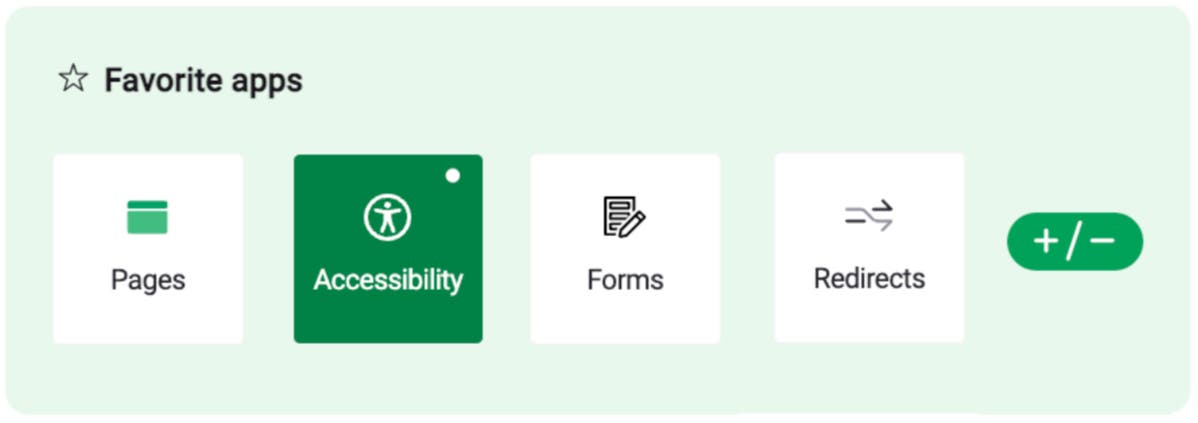
Easy Accessibility brings automated WCAG checks directly into the Magnolia authoring experience. Rather than requiring content teams to switch between tools or wait for external audits, they can scan pages for accessibility issues without leaving the page editor.
The module uses axe-core to identify automatically detectable WCAG issues inside Magnolia. Automated scans support accessibility testing; manual evaluation is also required to assess conformance.
How It Works
Each page receives an accessibility score from 0-100, calculated by the severity of issues found. Critical violations (like missing form labels or keyboard traps) carry the heaviest weight, helping teams prioritise fixes that have the greatest impact on users.
The scoring breakdown is straightforward:
- Critical issues: 10 points deducted per violation
- Serious issues: 5 points deducted
- Moderate issues: 2 points deducted
- Minor issues: 1 point deducted
This weighted approach means your team isn't drowning in a flat list of problems. You can immediately see which issues matter most and tackle them first.
Designed for Content Teams, Not Just Developers
Easy Accessibility is built for the people actually creating content. Authors see clear explanations of each violation and its severity level. They don't need to understand the technical details of ARIA attributes or DOM structure. They just need to know what to fix and why it matters.
For teams that do need deeper technical detail, the module provides comprehensive reporting that developers can use to support fixes and audits. You can export CSV reports for stakeholders, compliance documentation, or tracking improvements over time.
Track Progress, Prove Improvement
One of the most powerful features is historical tracking. Scan results are stored in Magnolia, allowing you to monitor how your accessibility score improves with each fix. This is invaluable for demonstrating progress to stakeholders, meeting compliance requirements, and building a culture of accessibility within your organisation.
For larger teams, the commercial edition adds scheduled scanning and email notifications for critical issues, so accessibility doesn't slip between content releases.
Getting Started
Easy Accessibility requires Magnolia 6.4 or higher and Java 17. The core module is free and open source, available on GitHub for teams who want to start improving their accessibility posture today.
Whether you're facing an upcoming compliance deadline, responding to user feedback, or simply committed to building an inclusive web, Easy Accessibility gives your team the tools to make it happen without disrupting the workflows they already know. If you need hands-on help, see our accessibility service.
Because accessibility shouldn't be an afterthought. It should be built into how you work.